
JSON Formatter & Validator

Format, validate, and minify your JSON data.

How to Use JSON Formatter & Validator

Follow these simple steps to format, validate or minify your JSON in seconds.
1
Paste JSON
Copy your raw JSON text and paste it into the Input JSON box on the left.
2
Choose Action
Click Format to beautify, Minify to compress, or Validate to check for errors.
3
Get Output
Your result appears instantly in the Output panel — no page reload needed.
4
Copy & Use
Hit the Copy button to copy the output straight to your clipboard.

What is JSON?

JSON (JavaScript Object Notation) is a lightweight, text-based data format used to store and exchange structured information between servers and web applications. It is language-independent and human-readable, making it the most popular data format in modern APIs and web services.

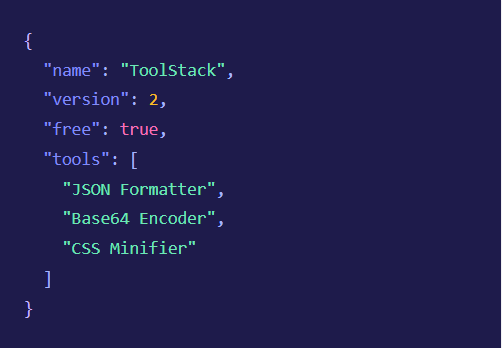
JSON data is organized as key-value pairs wrapped in curly braces {}, and arrays are wrapped in square brackets []. Values can be strings, numbers, booleans, objects, arrays, or null.


Whether you’re debugging an API response, configuring an application, or working with databases like MongoDB — JSON is everywhere. Our tool helps you read, validate, and clean JSON data instantly.
FAQs

Frequently Asked Questions

Everything you need to know about using this tool.
Is this JSON Formatter free to use?
Yes, completely free. ToolStack provides 100+ tools at no cost, with no account or subscription required. Just open the page and start using it.
No. All operations — formatting, minifying, and validating — run entirely in your browser using JavaScript. Your data is never uploaded or stored anywhere.
Format adds proper indentation and line breaks to make your JSON easy to read. Minify does the opposite — it removes all unnecessary whitespace to produce the smallest possible string, ideal for APIs and production environments.
Common issues include missing commas between key-value pairs, unmatched brackets or braces, keys not wrapped in double quotes, or trailing commas after the last item. Our validator will highlight exactly where the problem is.
Absolutely. The tool is fully responsive and works on all screen sizes. You can paste, format, and copy JSON directly on your smartphone or tablet.